Prompt to Profit
Learn how to use AI properly and build simple real-world websites in 5 days.
This beginner-friendly intensive is designed for people who are curious about AI but do not yet know how to use it in a practical way. Over 5 days, you will learn how to communicate properly with AI, use it to create simple websites and web tools, and publish your work online with confidence.
Who teaches this course
Prompt to Profit is taught by Tochukwu Nkwocha.
Founder of Sure Imports and LineScout, practical systems builder, and educator focused on helping beginners use AI for real work.
40,000+ users across Sure Imports & LineScout
Real products and systems built end-to-end
Beginner-friendly, practical teaching style
Course promise
A clear, beginner-safe path from confusion to confidence.
By the end of this course, a complete beginner should be able to communicate with AI more clearly, turn simple ideas into web projects, build basic websites with HTML and CSS, add light functionality where needed, and publish a project online using Netlify.
- Use AI with more clarity and less confusion
- Write stronger prompts for real work
- Build simple websites with AI support
- Publish online with confidence
- Keep learning beyond the course
Who this is for
Built for beginners who need a practical start.
This course is for people who want a clear entry point into AI and simple website building without unnecessary technical intimidation.
High school students
University students
Older adults learning new tools
Professionals and business owners
Anyone who wants a practical first step into building with AI
What you will leave with
A skill set you can keep building on.
Use AI with more structure and confidence
Turn rough ideas into clearer project plans
Build simple webpages and webtools for your business
Make your website interactive and mobile responsive
Publish your website easily via drag and drop
Develop the confidence to keep learning independently
Proof of concept
Real interfaces I built recently with AI-assisted workflows.
This is the level of practical execution this course is designed to unlock for beginners: clear structure, polished presentation, and production-ready thinking.
Project case study
LineScout
Market-specific sourcing product interfaces across public landing, admin operations, and mobile responsiveness.
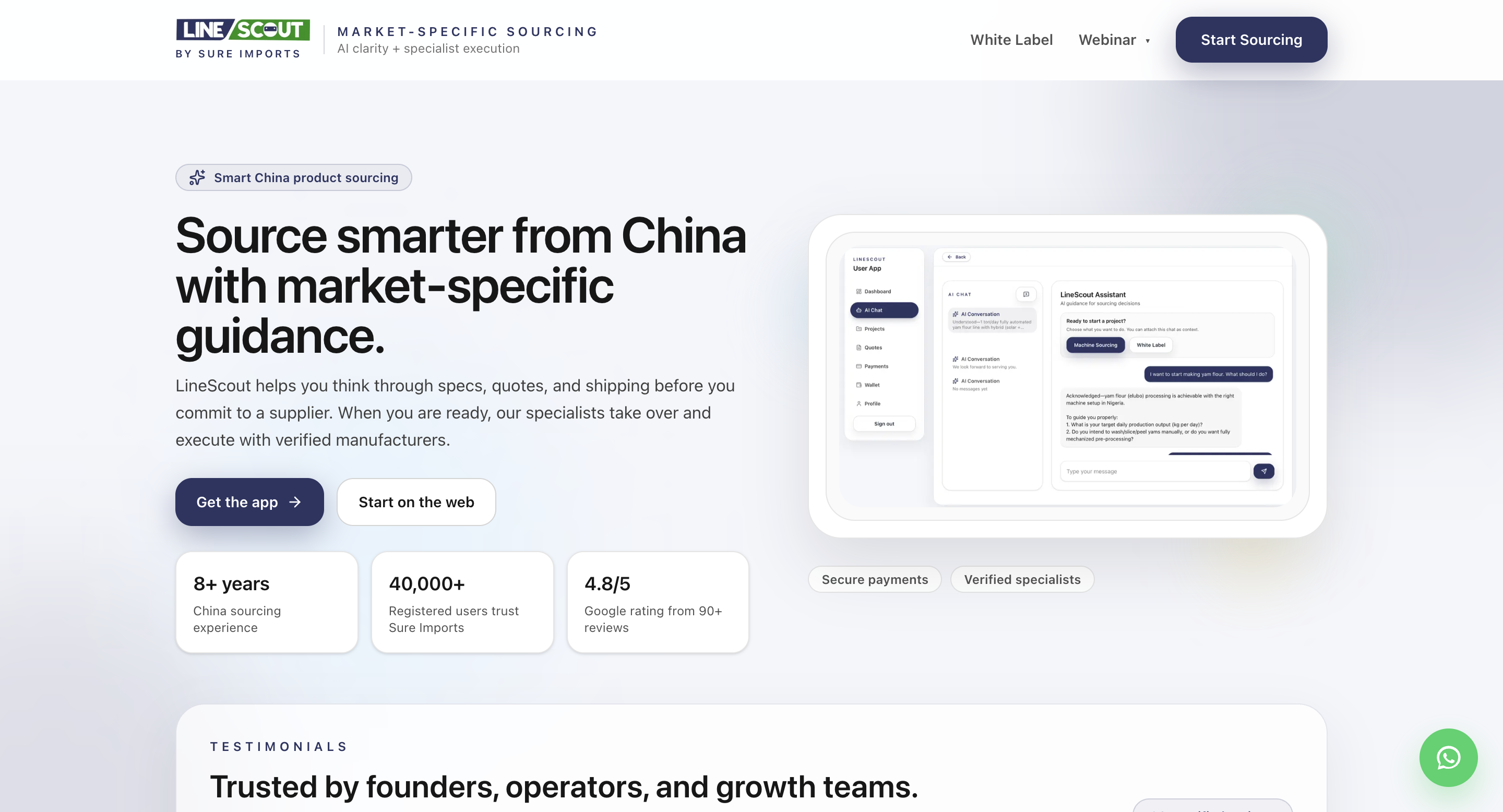
LineScout
Built to explain a complex sourcing product with clarity, strong hierarchy, and clean conversion flow.
AI-assisted layout planning
Clear conversion structure
Production-ready polish
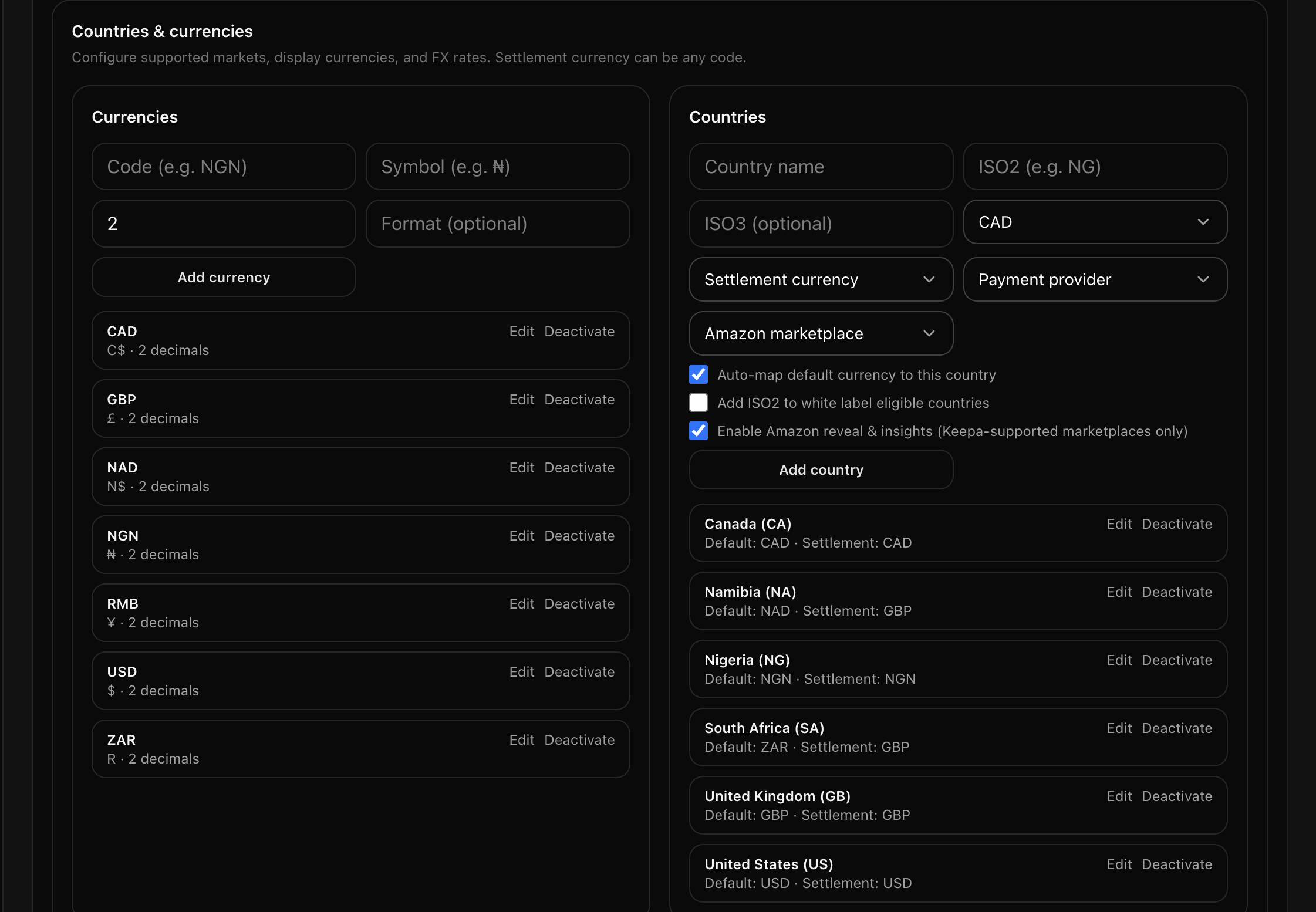
LineScout admin operations view
Internal admin tooling built for real operations: configuration control, country/currency mapping, and production-safe workflow decisions.
Operational UI systems
Complex state handling
Practical product execution
Inside Prompt to Profit, this is the exact process you learn: turning vague ideas into clean, usable interfaces with AI support.
Project case study
Sure Imports
Commercial conversion-focused interface adapted cleanly for mobile while preserving offer clarity and trust.
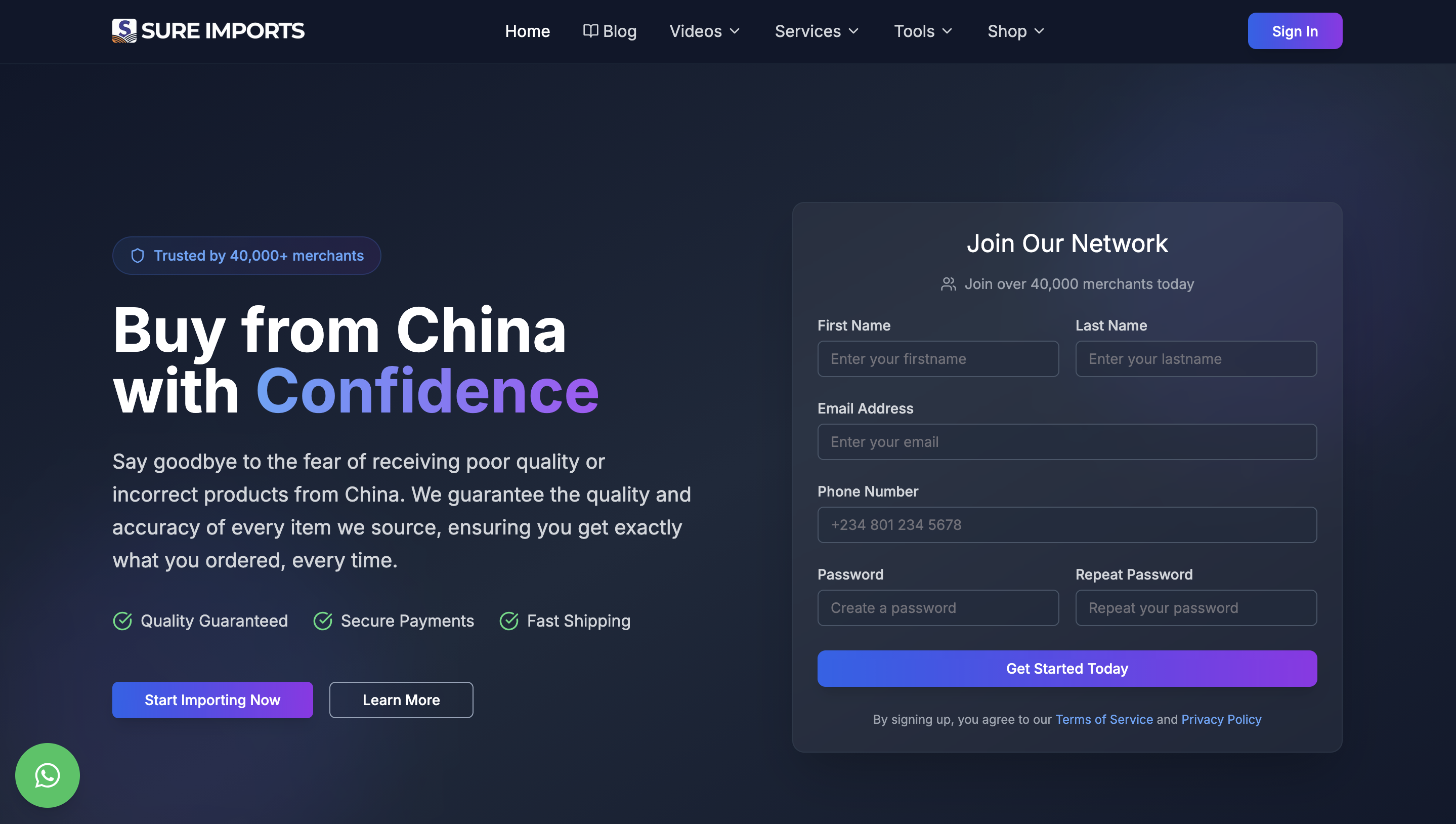
Sure Imports
Conversion-focused commercial interface with stronger offer framing, trust cues, and clear user path from headline to action.
Commercial conversion structure
Offer clarity and positioning
AI-assisted content shaping
Prompt to Profit teaches this same execution pattern: shaping offer clarity, responsive structure, and practical conversion flow with AI.
Project case study
SMA Hope Foundation
Mission-driven nonprofit storytelling page built for trust, clarity, and clear support pathways.
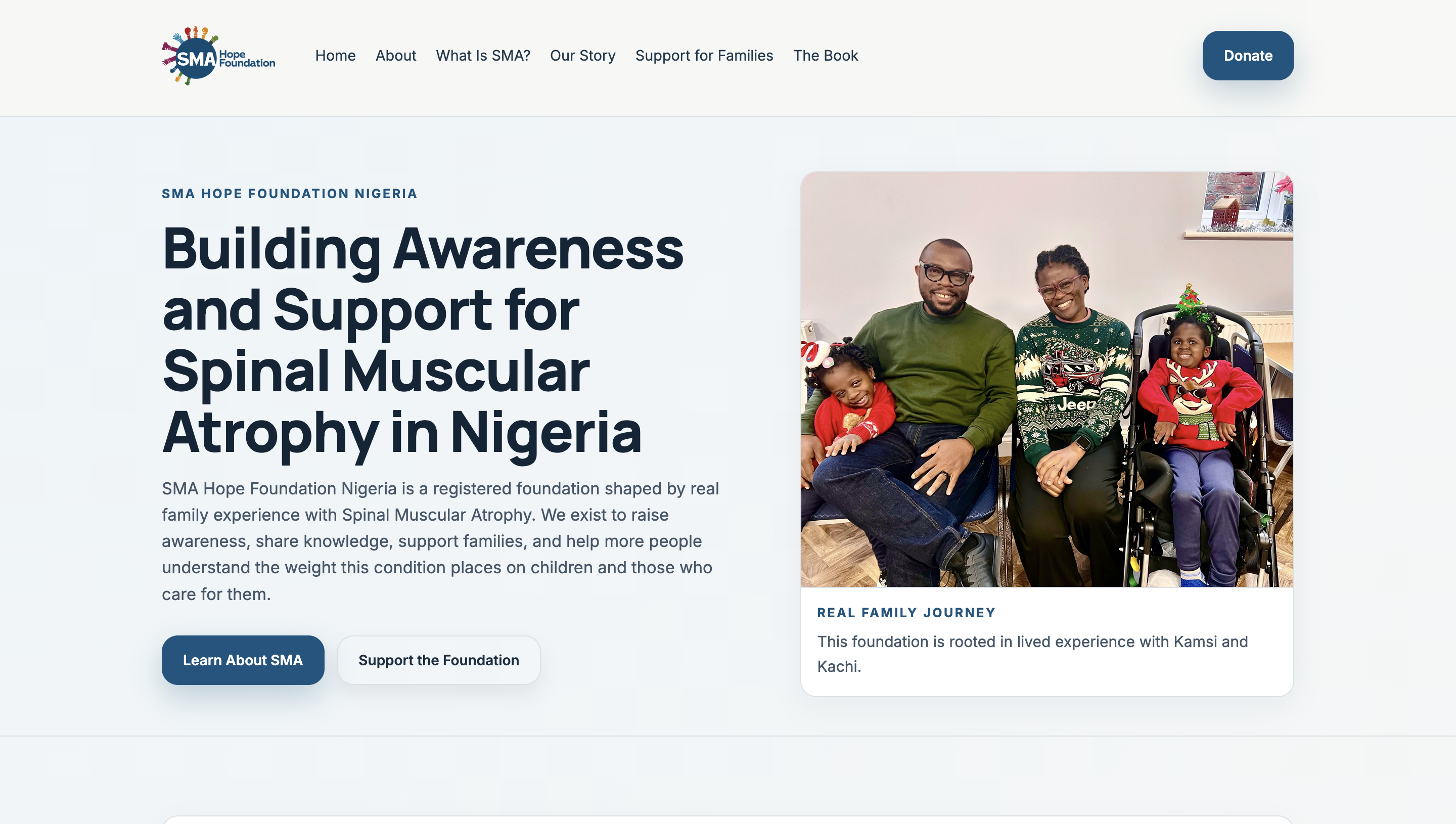
SMA Hope Foundation
Built to communicate a sensitive health-focused mission with emotional clarity, structured narrative, and easy donor action points.
Mission-first storytelling
Trust-centered visual hierarchy
AI-assisted content structure
Prompt to Profit helps students apply this same approach: using AI to shape clearer messaging and practical page structure for real audiences.
Project case study
Tochukwunkwocha.com
Personal brand and course platform experience designed for authority, clarity, and enrolment conversion.
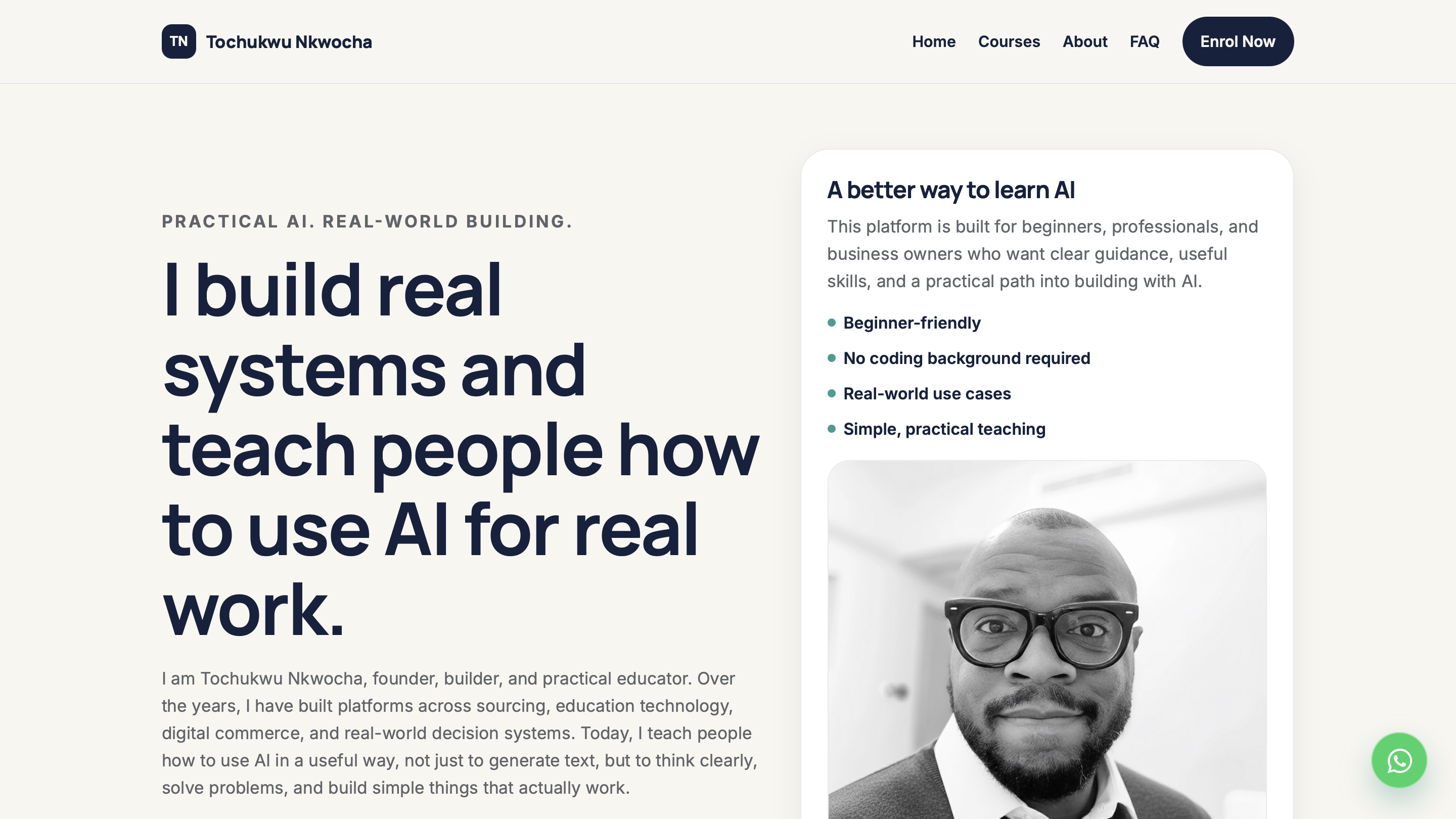
Tochukwunkwocha
Positioning-focused landing structure built to establish credibility, explain value clearly, and move visitors toward course action.
Personal brand positioning
Offer-to-enrolment flow
AI-assisted design execution
This is the practical result students are guided toward in Prompt to Profit: clear offers, better structure, and usable pages built with AI support.
Project case study
LineScout Agent Website
Agent-facing product surface built for task clarity, trust, and faster operational execution.
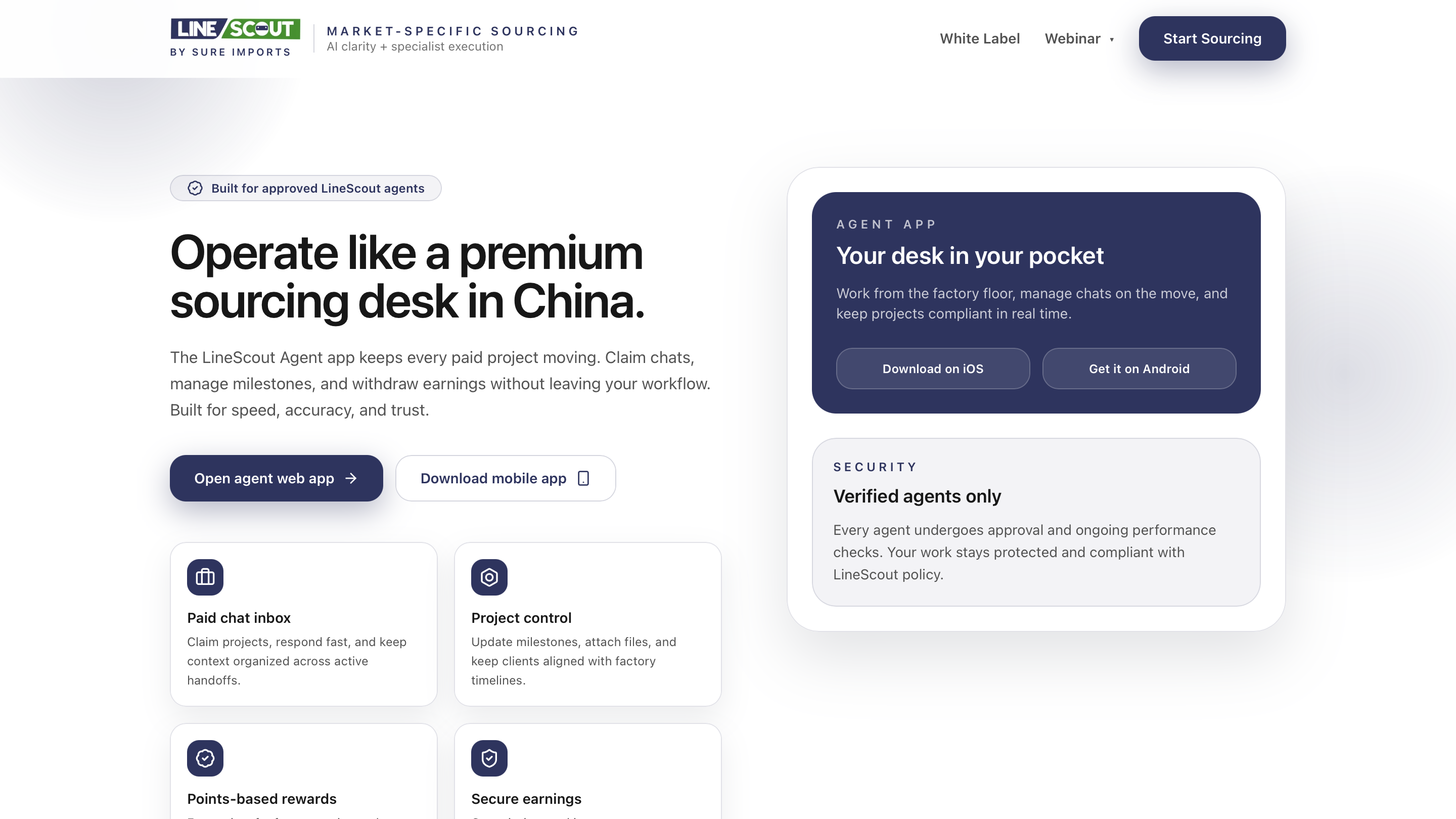
LineScout Agent Website
Focused interface design for agent productivity, clearer workflows, and faster decision support across sourcing tasks.
Operator-first UX
Task-driven interface design
AI-assisted product execution
Prompt to Profit helps students build this exact capability: turning AI output into practical workflows that real users can use immediately.
Project case study
LineScout Sourcing Dashboard
Dashboard-style product interface for sourcing visibility, decision context, and operation-level control.
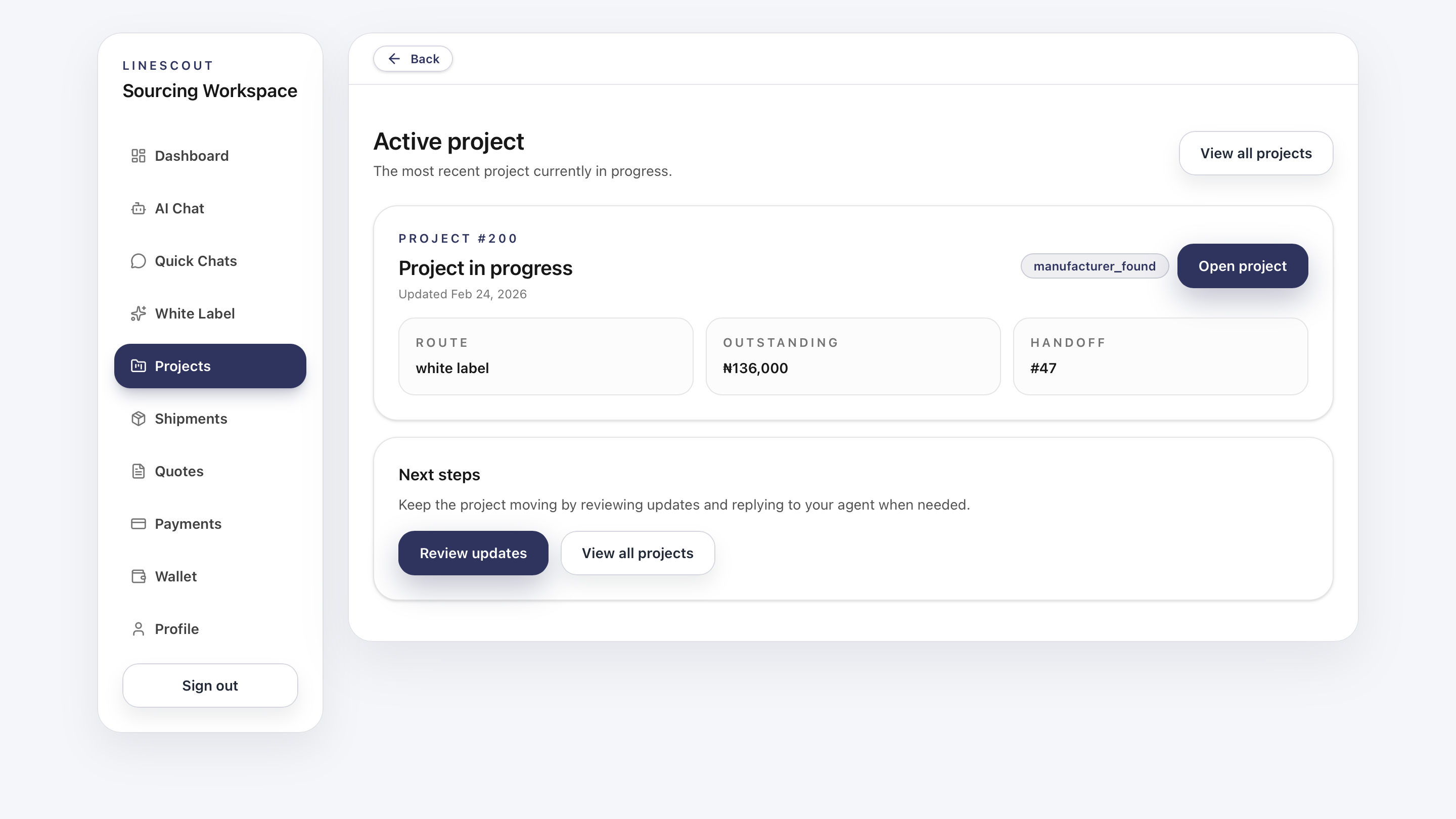
LineScout Sourcing Dashboard
Structured dashboard layout designed for high-information environments while keeping controls usable and decisions clearer.
Complex information hierarchy
Practical dashboard UX
AI-assisted build velocity
This is what Prompt to Profit emphasizes: combining clarity, structure, and AI support to build interfaces that work in real business contexts.
Curriculum
A one-week intensive built for total beginners.
The course is designed to move fast without becoming confusing. The live sessions create momentum and clarity, while the recorded lessons allow students to pause, replay, and follow carefully.
Day 1 • Live Session
Orientation, confidence, and how to talk to AI properly
Students understand what the course is really about, stop feeling intimidated by AI, and learn the foundations of clear prompting for real work.
- What this course covers
- What AI can and cannot do
- Why vague prompts fail
- How to give AI a role, task, context, and constraints
- Choosing a simple project for the week
End of day result: Students understand the path of the course and write their first improved prompts.
Day 2 • Recorded Training
Digital basics, simple web pages, and getting comfortable
Students become comfortable with the simple digital workflow needed for the course and begin building basic web pages with AI support.
- Files, folders, saving, and organizing work
- Browsers, downloads, and uploads
- What HTML, CSS, and light JavaScript do
- Building a first simple page with AI
- Editing text and previewing the page
End of day result: Students create their first basic webpage and become more comfortable editing simple files.
Day 3 • Recorded Training
Prompting like a builder and creating useful small projects
Students learn how to think like beginner builders and use AI to plan and create small but useful websites and web tools.
- From problem to project
- Choosing realistic features
- Better prompt structures for building
- Creating a small useful tool
- Revising AI output more intentionally
End of day result: Students complete a simple project brief and begin a useful small web project.
Day 4 • Recorded Training
Styling, light interactivity, Netlify hosting, and domain connection
Students improve the look of their project, add light interactivity where needed, and learn the simplest path to getting work online.
- Making a site look cleaner
- Improving spacing and readability
- Using light JavaScript without fear
- Uploading to Netlify
- Buying and connecting a domain through Netlify
End of day result: Students get their project hosted or ready to host and understand the simplest publish workflow.
Day 5 • Live Session
Live build review, fixing mistakes, publishing, and the path forward
Students consolidate everything, see common mistakes corrected live, and finish with a usable process they can continue applying after the course.
- Common beginner mistakes
- How to fix poor prompts
- How to fix messy layouts
- How to ask AI for help when something breaks
- Project review and next steps
End of day result: Students leave with a complete beginner workflow and a project published or ready to publish.
Format
Designed for momentum, clarity, and replay.
2 live sessions
Day 1 and Day 5 are taught live for momentum, correction, and direct guidance.
3 recorded training days
Days 2 to 4 are recorded so students can pause, replay, and follow carefully.
1-year access
All lessons, including live sessions, remain available for rewatching.
Built for beginners
The structure reduces pressure while keeping the learning experience focused.
FAQ
Common questions about Prompt to Profit
No. This course is designed for complete beginners. It starts from the basics and focuses on helping students understand how to use AI properly as a practical tool.
No. This course focuses on the right beginner foundation. Students will learn how to communicate with AI properly and use that skill to build simple websites and web tools first. That foundation makes it easier to grow into more advanced tools later.
Students will build simple websites or small web tools using HTML, CSS, light JavaScript, and Netlify. The goal is practical clarity and first success, not unnecessary complexity.
Yes. The course includes replay access for one year, and both live and recorded sessions can be rewatched.
It is ideal for beginners, students, professionals, business owners, and older adults who want a practical and less intimidating entry point into using AI for real work.
Start with the right foundation.
If you want to understand AI properly and use it to build useful things without getting lost in unnecessary complexity, Prompt to Profit is the right place to begin.